What pages does a small business website need? A simple checklist
The five pages every small business website needs, the extra pages worth adding as you grow, and exactly what to put on each one.
Every small business website needs five core pages: a homepage, a services or products page, an about page, a contact page and a privacy policy. As you grow, add pages that build trust and answer questions, such as pricing, portfolio or case studies, FAQ, testimonials and a blog. A custom 404 page is a small extra that keeps lost visitors on your site.
More pages do not automatically mean a better website. Each page should have one clear job. Here is what every page is for and what to put on it.
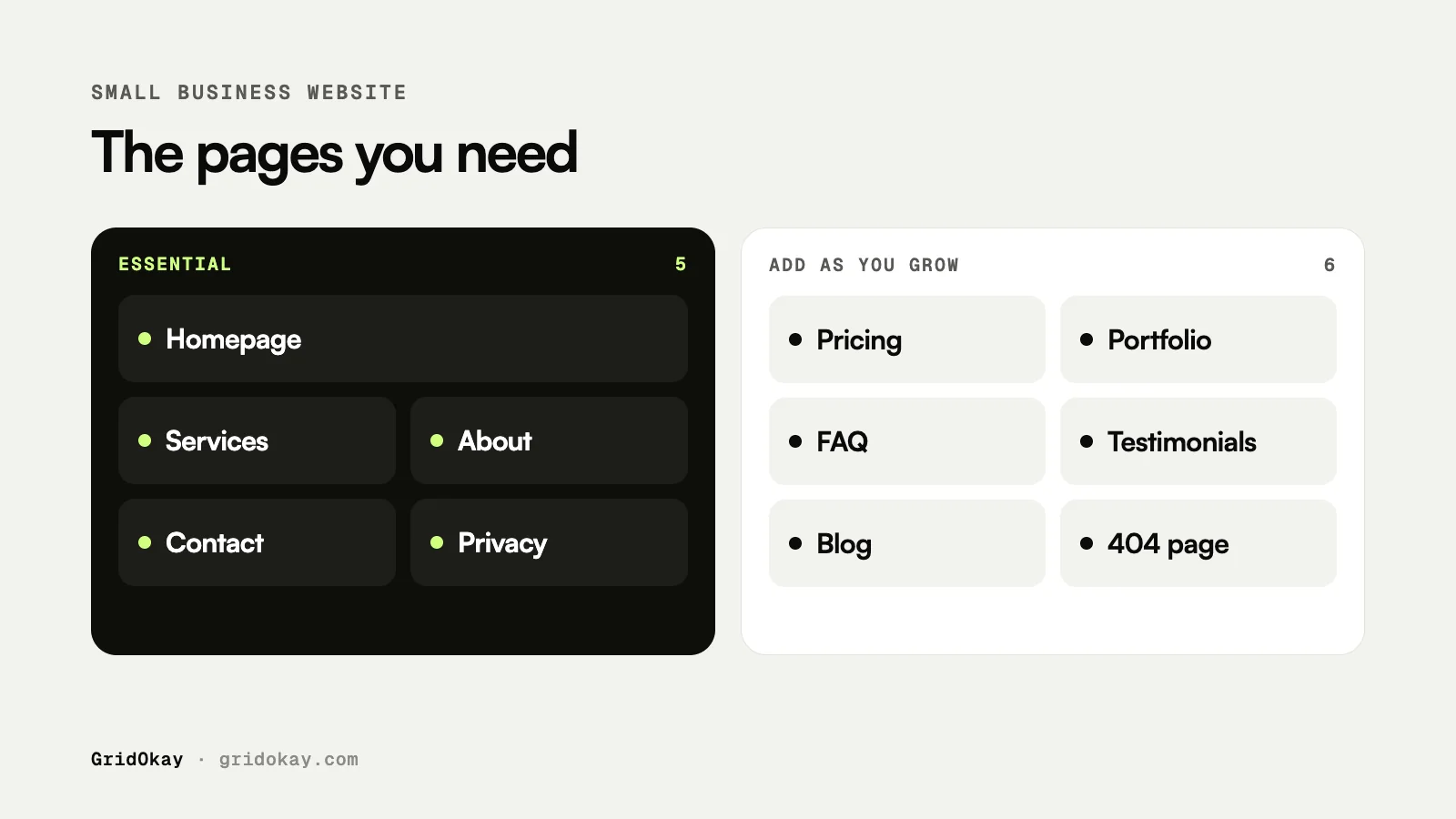
The 5 essential pages
1. Homepage
Your homepage has about five seconds to tell a visitor what you do, who it is for and what to do next.
- A clear headline that says what you offer, not a slogan
- One main call to action, such as “Book a call” or “Get a quote”
- A short overview of your services or products
- Proof that you are real: work examples, client logos, numbers or reviews (only real ones)
- Links to your most important pages
2. Services or products
Explain what you sell in plain words. If you offer several services, give each one a short section or its own page. Separate pages help you appear in search for each service.
- What the service is and who it is for
- What is included
- A starting price, or how pricing works
- A call to action next to each service
3. About
People buy from people. Your about page explains who is behind the business and why they should trust you.
- Your story in a few short paragraphs
- Your team, with real photos if possible
- Your experience, credentials or approach
- Where you are based and the areas you serve
4. Contact
Make it effortless to get in touch. Many visitors go straight to this page.
- A short contact form, with only the fields you really need
- Your email address, and phone number if you take calls
- Your opening hours and location, if customers visit you
- What happens next, for example “We reply within one working day”
5. Privacy policy
If your site collects any personal data, including contact form messages or analytics, you need a privacy policy that explains what you collect and why. Add terms of service if you sell online.
Recommended pages as you grow
| Page | Why it helps | Add it when |
|---|---|---|
| Pricing | Answers the first question most buyers have and filters out poor-fit leads | Your prices are fairly standard |
| Portfolio or case studies | Shows real results, which builds trust fast | You have two or three projects to show |
| FAQ | Answers objections and ranks for question searches | You hear the same questions often |
| Testimonials | Social proof from real customers | You have genuine reviews to share |
| Blog | Brings search traffic and shows expertise | You can publish regularly |
| 404 page | Turns a dead end into a path back to your content | Always, it takes ten minutes |
How to organise your navigation
- Keep the main menu to five or six links. Put legal pages in the footer.
- Use plain labels like “Services” and “Contact” instead of creative names.
- Put your main call to action as a button in the top-right corner, where people expect it.
- Repeat key links in the footer, including your email address and social profiles.
A quick checklist before you launch
- Every page has a unique title and description for search engines.
- Every page has one clear next step for the visitor.
- The contact form sends messages to an inbox you actually check.
- All pages work on a phone, not just on desktop.
- Your privacy policy describes the tools you really use.
- Broken links lead to a helpful 404 page.
For more launch checks, read 7 things to check before you buy a website template.
Frequently asked questions
How many pages should a small business website have?
Most small business sites work well with five to ten pages. Start with the five essentials and add more only when each new page has a clear job.
Can a one-page website work for a small business?
Yes, for very simple offers such as a single service or an event. As soon as you offer several services or want to rank in search for different topics, separate pages work better.
Do I need a blog?
Not on day one. A blog is worth it when you can publish useful articles regularly, because it brings search traffic over time.
Where can I get a website with these pages already built?
Our templates include the essential pages, legal pages and a 404 page out of the box. If you would rather have it built for you, take a look at our website design services.