How to write homepage copy that turns visitors into customers
A simple formula for homepage copy that converts: a clear headline, a specific subheadline, real proof, benefits instead of features and one call to action, with before and after examples.
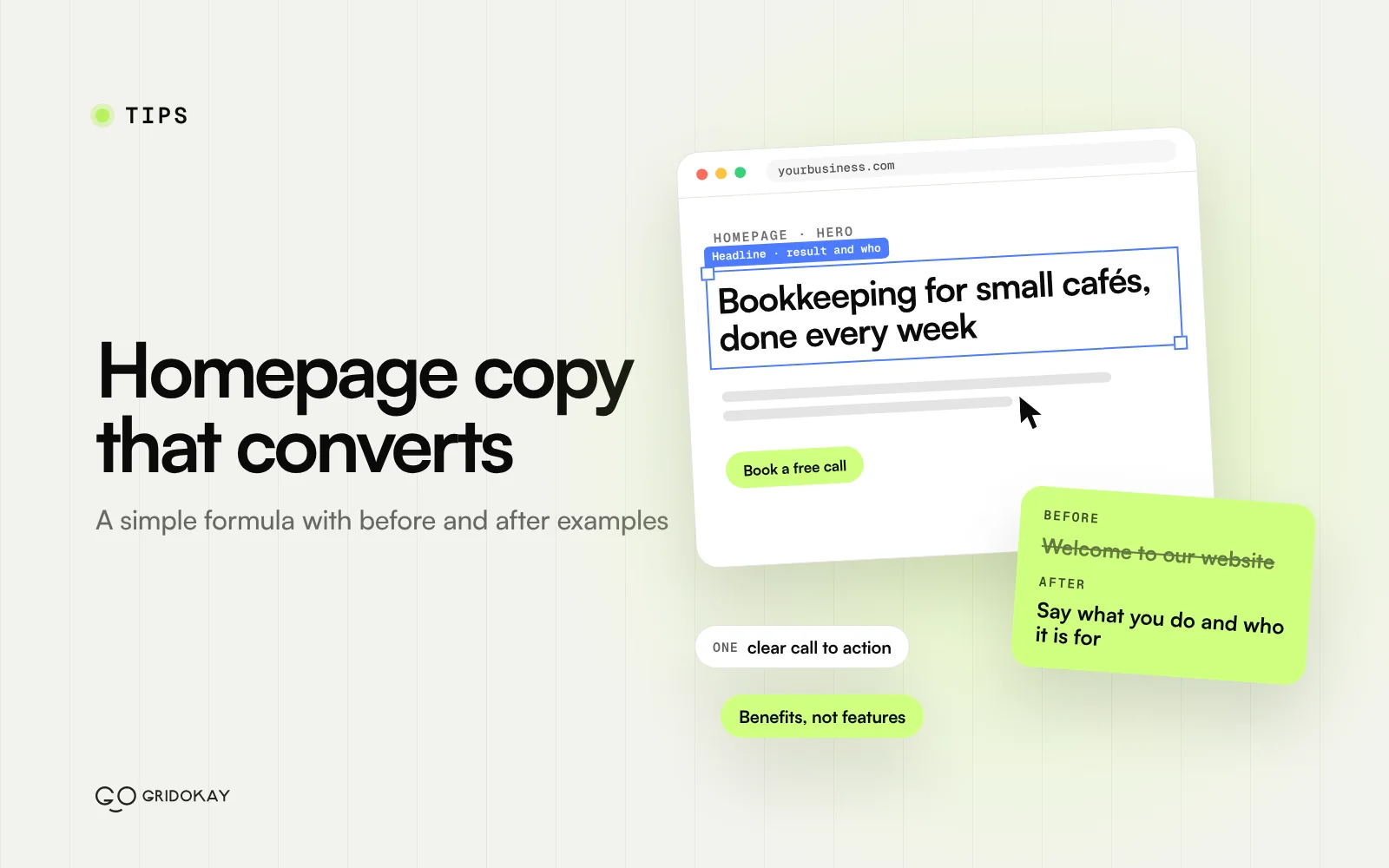
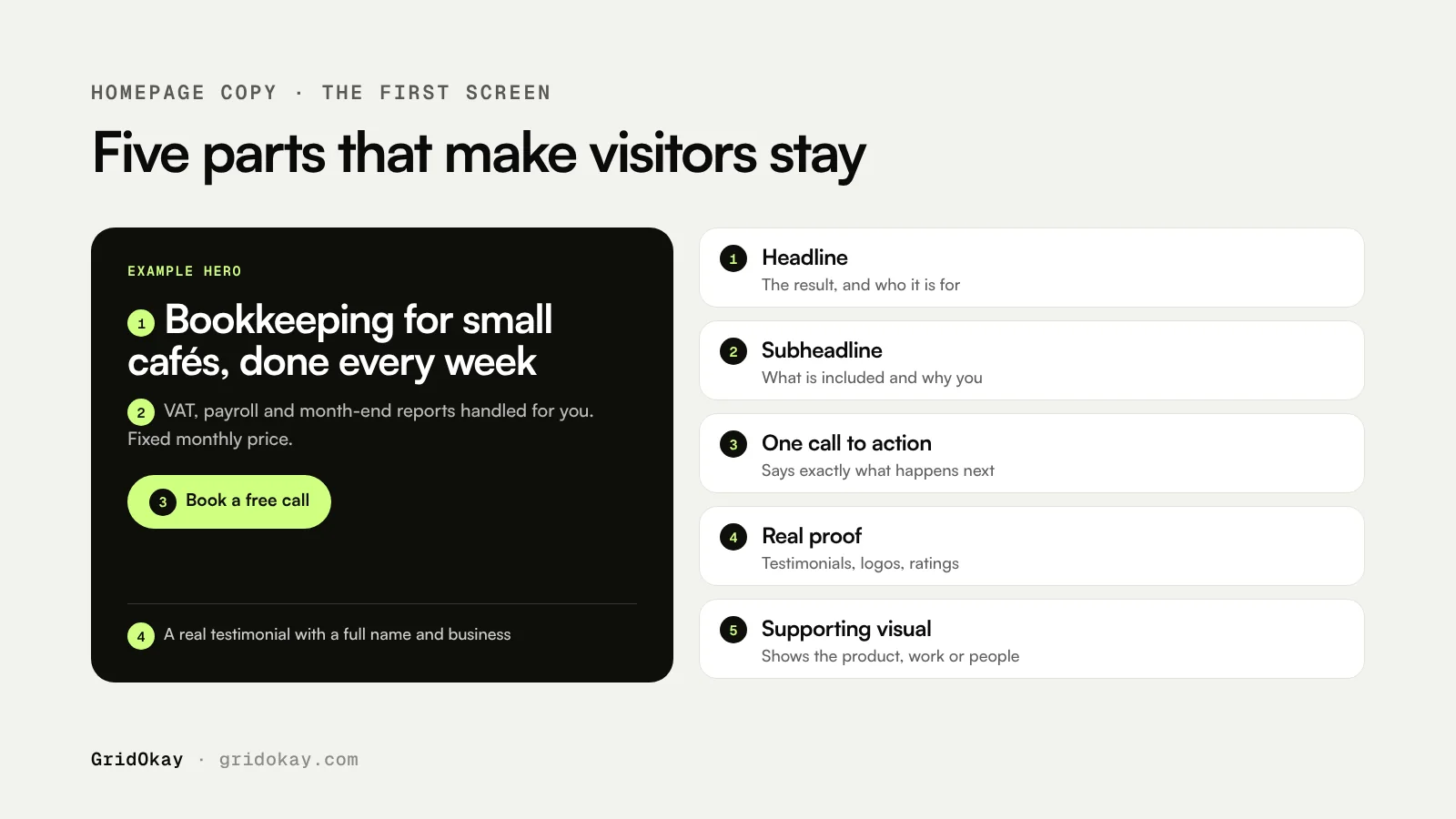
Homepage copy that converts does three things in the first screen: it says what you do, who it is for and what the visitor should do next. Use a headline that names the result you deliver, a subheadline that adds who it is for and how, one clear button, and real proof close by. Most visitors decide within a few seconds whether to stay, so clarity beats clever wording every time.
This guide gives you a simple formula for each part of the homepage, shows before and after examples, and ends with a checklist you can use on your own site today.
What should a homepage headline say?
Your headline should tell a stranger what you do and why it matters to them, in about 6 to 12 words. A reliable formula is:
[The result your customer wants] + [for whom or how]
Avoid headlines that could belong to any business, such as “Welcome to our website” or “Excellence in everything we do”. They say nothing a visitor can act on. Write the headline last if it helps: it is easier once you know your offer, your audience and your proof.
| Before | After |
|---|---|
| Welcome to Smith & Co | Bookkeeping for small cafés, done every week |
| Innovative digital solutions | Websites for dentists that fill your appointment book |
| Your partner in growth | Payroll and tax returns for UK freelancers, from one monthly fee |
The examples above are illustrations, not real businesses. Notice that each “after” headline names a customer and a result.
How do you write the subheadline?
The subheadline sits under the headline and does the explaining. In one or two sentences, add the details the headline left out: who you help, what is included and what makes you different. This is a good place for practical facts such as your area, turnaround time or starting price.
For example: “We handle your bookkeeping, VAT and month-end reports so you can focus on your customers. Fixed monthly price, no long contracts.”
Benefits, not features
A feature is what you do or what a product has. A benefit is what the customer gets from it. Visitors care about benefits first, then use features to check you can deliver them.
| Feature | Benefit |
|---|---|
| Online booking system | Customers book a table at midnight without calling you |
| 24-hour turnaround | Get your logo files back tomorrow |
| Mobile-friendly design | Customers can find your number and call in one tap |
| Monthly reports | Know exactly where your money went each month |
A simple test: read each line of your copy and ask “so what?” If the answer is not obvious to the reader, rewrite the line to include it.
Where does proof go on a homepage?
Put proof close to your claims, ideally visible in the first or second screen. Good proof is specific and real:
- Short testimonials with a full name, role or business, and ideally a photo
- Logos of clients you have actually worked with, with permission
- Numbers you can stand behind, such as years in business or projects completed
- Ratings from a public review platform, linked to the source
- Case studies with a before and after
Never invent reviews, client names or numbers. Made-up proof is easy to spot, can break advertising rules and damages trust far more than having no proof at all. If you are just starting, use what is true: your process, your qualifications, a guarantee or a sample of your work.
How many calls to action should a homepage have?
One main call to action, repeated. Choose the single most useful next step for a new visitor, such as “Book a free call”, “Get a quote” or “Browse templates”, and use the same wording in the hero, after key sections and at the bottom of the page.
A secondary, lower-commitment option is fine, for example “See our work” next to “Book a call”. Keep it visually quieter so the main button stays obvious. Write button text that says what happens next. “Get my quote” tells the visitor more than “Submit” or “Learn more”.
A simple homepage copy structure
Most small business homepages work well with this order:
- Hero: headline, subheadline, main button and a supporting image.
- Proof strip: client logos, a rating or one strong testimonial.
- Problem: two or three sentences that show you understand the customer’s situation.
- Services or offer: three to six items, each with a benefit-led line.
- How it works: three or four simple steps.
- Results: testimonials or a short case study.
- FAQ: answers to the questions that stop people from getting in touch.
- Final call to action: repeat the main button with a short reassurance line.
For agencies, our guide to the 10 sections every agency website needs goes deeper. For the wider site, see what pages a small business website needs.
Homepage copy checklist
- Could a stranger explain what you do after reading the first screen?
- Does the headline name a customer, a result or both?
- Is there exactly one main call to action, with clear button text?
- Is real proof visible without much scrolling?
- Does every section answer “so what?” for the reader?
- Are sentences short and free of jargon?
- Have you read it aloud, and on a phone?
Frequently asked questions
How long should homepage copy be?
Long enough to answer the main questions a visitor has before they act. For most small businesses that is typically a few hundred words across six to eight short sections. Cut anything that does not help the reader decide.
Should I write my own homepage copy?
You know your customers best, so a first draft from you is valuable even if a writer polishes it later. Start with the questions customers ask you most often and answer them in plain words.
Does homepage copy affect SEO?
Yes. A clear headline and specific copy help search engines and AI tools understand what you do and who you serve. Use the words your customers use, and give the page a descriptive title and meta description.
Can GridOkay help with my homepage?
Yes. Our website design service starts from $1,600 and includes structuring your homepage so the copy and layout work together. You can also start from one of our templates, which come with a proven section structure, or get in touch for a fixed quote.